

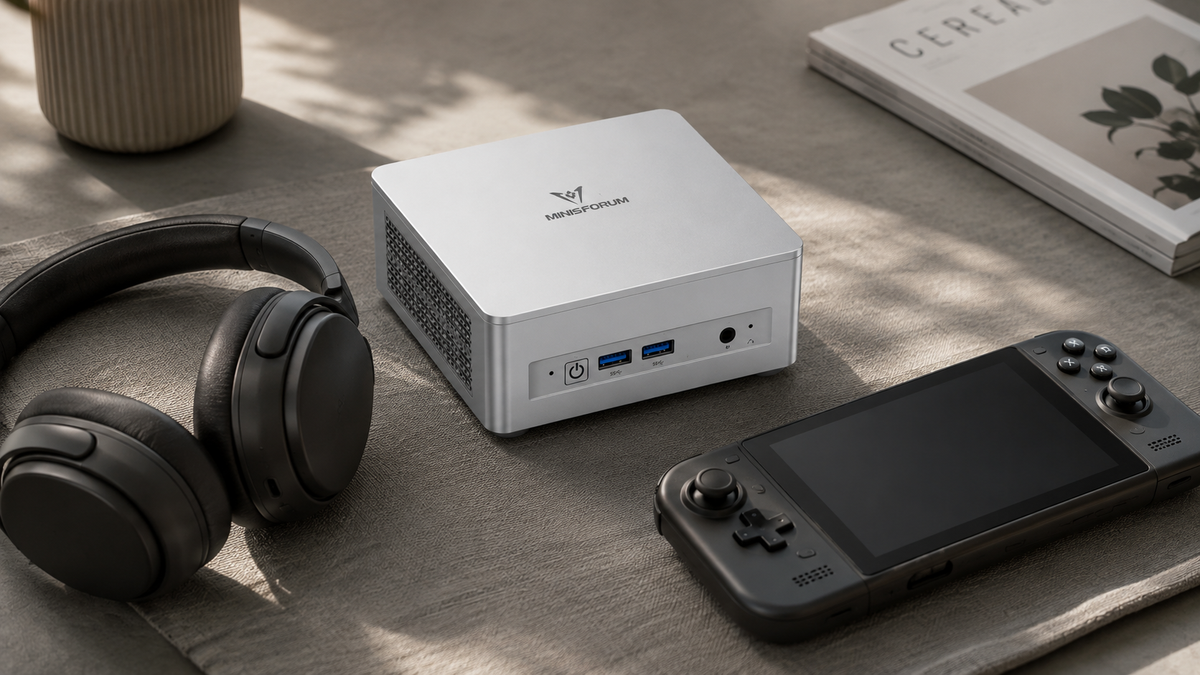
When people think of a gaming PC, the first image is still usually a traditional tower with a dedicated graphics card.
But high-performance integrated graphics have pushed Mini PC gaming much further in recent years. Radeon 780M- and Radeon 890M-class iGPUs can already cover esports titles and a wide range of 1080p games. Add DDR5 memory, NVMe SSD storage and OCuLink external GPU expansion, and a Gaming Mini PC is no longer just a small computer that happens to run a few games.
It can be a compact 1080p gaming system from day one, or start with integrated graphics and later connect to a desktop GPU through OCuLink when more performance is needed.
So when choosing a Gaming Mini PC, it makes more sense to start with the games you actually play, the resolution you use and whether you may want to add a dedicated graphics card later.
What Kind of Games Suit a Mini PC?
Today's Gaming Mini PCs can be roughly divided into three performance tiers.
The first is the 1080p Mainstream Gaming Mini PC, represented by systems with Radeon 780M graphics.
Esports titles such as Valorant, League of Legends, Dota 2 and CS2 are a natural fit for this class of system, while many mainstream games can also run at 1080p. For more demanding AAA titles, Low or Medium presets, FSR and sensible render-resolution adjustments can help improve smoothness.
The main advantage of this tier is simple: gaming, work and everyday use all fit into one compact machine.
The second tier is the High-Performance Integrated Gaming Mini PC, represented by Radeon 890M-class graphics.
It pushes integrated graphics further, giving users more room to adjust quality settings at 1080p and, in some games, to try higher settings or 1440p. If the same computer also handles content creation, Local AI, study or heavier multitasking, this type of system becomes even more versatile.
The third tier is the OCuLink Gaming Mini PC + Desktop GPU.
At that point, the Mini PC is no longer limited by the performance ceiling of its integrated graphics. Connect an RTX or Radeon desktop graphics card through OCuLink and GPU performance can scale with the external card, opening the door to 1440p, higher refresh rates and more demanding gaming.
That means the value of a Gaming Mini PC is not simply that it is small. It gives buyers two different routes: Integrated Graphics Gaming or Mini PC + Upgradeable Desktop GPU.
What Kind of Gaming Is Radeon 780M Good For?
Radeon 780M is a mature high-performance integrated GPU that works particularly well for esports and online games such as League of Legends, Dota 2, Valorant and CS2, while also covering a good range of mainstream titles at 1080p.
That means you can get a complete 1080p Esports + Mainstream Gaming + Everyday PC experience without buying a separate graphics card.
For more GPU-intensive games, adjusting image quality, enabling FSR or reducing a few demanding effects can help keep gameplay smoother. This is one reason Radeon 780M Mini PCs work well for students, home users and mixed Work + Gaming setups. During the day, the same machine can handle office work, study or development. In the evening, open Steam, Valorant or League of Legends and it becomes a gaming system.
There is no need to keep a large gaming tower on the desk just for occasional gaming. More importantly, if the Mini PC includes OCuLink, Radeon 780M does not have to be the end of the upgrade path. A desktop GPU can be added later when more graphics performance is genuinely needed.
Is Radeon 890M Better Suited to Gaming Than Radeon 780M?
If you want to keep more games within the integrated-graphics experience, Radeon 890M is the next step up. It has a larger GPU configuration and belongs to a newer generation of integrated graphics.
For a Gaming Mini PC, its value is straightforward: it keeps more games within the Integrated Graphics Gaming range.
That may mean more freedom with 1080p image settings, better playability in newer AAA titles, the option to try higher settings or 1440p in selected games, or simply more GPU headroom for users who also work with image editing, video editing or Local AI and do not want to add an eGPU dock, graphics card and separate power supply from day one.
Radeon 890M therefore allows a Mini PC to handle more GPU work while keeping the system compact. For a machine that combines Work + Gaming + Creation, that balance is especially useful. And if GPU requirements continue to grow later, OCuLink can still extend the system to a desktop graphics card.
Why Does Memory Matter in a Gaming Mini PC?
In a traditional Gaming Desktop, system memory and dedicated GPU VRAM are two largely separate memory pools. An integrated-GPU Mini PC works differently. Radeon 780M and Radeon 890M can use system RAM for graphics workloads.
While a game is running, that memory may be serving Windows, the game itself, background applications, the integrated GPU, Discord, browser tabs, screen recording or streaming software at the same time.
That is why a Gaming Mini PC benefits from having more memory headroom than a basic office PC.
16GB
16GB can support a more basic Gaming Mini PC configuration, particularly when the system is kept relatively simple and there are not many heavy background applications.
32GB
32GB is a well-balanced capacity for a 1080p Gaming Mini PC. It leaves more room for the integrated GPU, Discord, browser tabs, recording tools and other background tasks alongside the game itself.
64GB
64GB makes more sense when the Mini PC is expected to handle several roles at once.
That could mean Gaming, video editing, Local AI, virtual machines, large creative applications or heavier multitasking. In this kind of setup, 64GB is less about “giving the game more RAM” and more about allowing the whole Mini PC to take on more demanding work. For Shared Memory Gaming Mini PCs, generous memory capacity and stronger memory bandwidth also give the integrated GPU and the wider system more room to work.
For a broader look at memory choices, see How Much RAM Does a Mini PC Need?
Should a Gaming Mini PC Have a 1TB or 2TB SSD?
Storage is often the second specification that grows quickly in a Gaming Mini PC. Windows, applications, Steam and a few larger games can fill a 512GB SSD surprisingly quickly.
1TB is a practical starting point for a Gaming Mini PC. It leaves room for the operating system, everyday software and several larger games.
2TB is better suited to a larger Steam library, frequent AAA installs or users who also store video, creative projects or Local AI files on the same machine.
Alongside the factory storage capacity, check how many M.2 SSD slots the Mini PC actually has. Two or even three M.2 slots mean the game library can continue growing over time. Extra capacity can be added later without migrating the entire system drive, which is particularly useful for a Gaming Mini PC that is expected to stay in use for several years.
For a more detailed comparison, see our Mini PC SSD Storage Guide.
How Important Is the CPU in a Gaming Mini PC?
One advantage of a modern Gaming Mini PC is that it can pair capable integrated graphics with strong CPU performance. In competitive games, high-refresh-rate titles, simulation games and other CPU-heavy workloads, a stronger processor can improve overall responsiveness.
If you are gaming while running Discord, keeping browser tabs open or downloading games in the background, the CPU and memory still contribute to the overall Gaming Experience.
So when comparing Gaming Mini PCs, Radeon 780M or Radeon 890M should not be the only specification you look at. CPU performance, DDR5 memory and the cooling design all matter as part of the full system.
1080p, 1440p or 4K: Which Resolution Makes Sense?
1080p: The Natural Starting Point for a Gaming Mini PC
1080p is where high-performance integrated graphics such as Radeon 780M and Radeon 890M make the most sense. Esports games, online titles, indie games and a wide range of mainstream releases can all deliver a good experience around this resolution.
For users who want a compact system, do not need a dedicated GPU from day one and still want a Mini PC that can genuinely be used for gaming, 1080p Gaming Mini PC is the most natural fit.
1440p: Extending Integrated Graphics with eGPU Expansion
Radeon 890M can already stretch into 1440p in selected games, with FSR and image-quality adjustments helping to improve playability further. If 1440p gradually becomes the main target, an OCuLink-equipped Mini PC can then connect to a desktop graphics card.
Buying an OCuLink Gaming Mini PC therefore does not mean you need to decide on your final GPU performance at the time of purchase. You can start with Integrated Graphics and move to a Desktop GPU later.
4K: OCuLink Connects the Mini PC to Desktop-Class GPU Options
When the target moves towards 4K Gaming, High Refresh Rate, Ray Tracing and higher-quality AAA settings, OCuLink becomes even more valuable.
The Gaming Mini PC can keep the same CPU, memory, SSD and operating system while the graphics side is upgraded to a desktop GPU. The Mini PC can still remain the core system in a higher-performance Gaming Setup.
Why Is OCuLink Important for a Gaming Mini PC?
OCuLink is one of the most useful expansion features to look for in a Gaming Mini PC because it gives the system two clear stages.
Stage 1: Integrated Graphics Gaming
Start with Radeon 780M or Radeon 890M.
Stage 2: Desktop GPU Gaming
When more GPU performance is needed, add an OCuLink eGPU dock, a desktop graphics card and a compatible PSU.
The original CPU, RAM, SSD, Windows installation and software environment all stay in place. Only the GPU side is upgraded.
OCuLink carries PCIe connectivity to the external GPU, giving a Gaming Mini PC a much more direct path to high-speed graphics expansion than a general-purpose peripheral connection. What it adds is a genuine GPU Upgrade Path.
If you are considering this route, see our OCuLink eGPU Dock Guide.
What Are the Advantages of a Mini PC + eGPU Setup?
The biggest advantage of Mini PC + eGPU is that buying the computer and choosing the final GPU no longer have to be the same decision.
Take a student in Europe living in a dormitory or shared flat. The desk may already need to fit a monitor, keyboard, study material and other devices. During the day, the computer is used for classes, coding, project work and video. In the evening, it runs Valorant, League of Legends, Steam games and the occasional AAA title.
A Radeon 780M or Radeon 890M Gaming Mini PC can already cover that kind of mixed use. If more demanding games become important two or three years later, the user can add a DEG1 and a desktop graphics card.
The upgrade path becomes Mini PC → Integrated Gaming → eGPU Upgrade, rather than forcing the buyer to decide on the final full system configuration from day one.
For users who already own a desktop graphics card, the route becomes even more attractive because the existing GPU can continue to be used.
If you are comparing the overall experience of a Mini PC and a traditional desktop, see Can a Mini PC Replace a Desktop PC?
How Should You Choose Between Different Types of Gaming Mini PC?
Radeon 780M Mini PC: Entry-Level 1080p Gaming
Best suited to esports, online games, indie titles, mainstream 1080p gaming and mixed Office + Gaming use.
It can cover Office PC + Home PC + Mainstream Gaming PC in one compact system, making it a balanced choice for users who genuinely game but do not need a high-power dedicated GPU running on the desk all the time.
Radeon 890M Mini PC: High-Performance Integrated Gaming
Best suited to users who spend more time gaming, want more image-quality headroom at 1080p, want to try newer games, also work with content creation or Local AI, and want to stay with Integrated Graphics for as long as possible.
The value of this class of system is pushing Mini PC Gaming Capability another step higher without adding a dedicated graphics card.
OCuLink Gaming Mini PC: GPU Expansion Later
Best suited to users who mainly play at 1080p today, expect gaming requirements to grow, already own a desktop graphics card, want the GPU to remain independently upgradeable or simply want to keep the computer itself compact.
The key feature is Future GPU Expansion.
Mini PC + Desktop GPU: High-Performance eGPU Gaming
When GPU requirements increase, OCuLink can connect the Gaming Mini PC to a desktop graphics card. This route can cover more demanding AAA titles, 1440p, higher refresh rates, higher image quality, GPU-accelerated creative work and Local AI.
The Mini PC continues to provide CPU + Memory + Storage + System, while the desktop GPU handles the heavier graphics workload.
Choosing a MINISFORUM Mini PC for Gaming
X1-Lite 255: 32GB + Radeon 780M Ready-to-Play Gaming Mini PC
The X1-Lite 255 combines AMD Ryzen 7 255, Radeon 780M graphics, 32GB DDR5 memory and 1TB SSD storage. That 32GB + 1TB configuration gives users a well-rounded 1080p Gaming setup straight out of the box.
It also provides OCuLink, USB4 and dual M.2 SSD slots, covering esports, 1080p Mainstream Gaming, home entertainment, study, office work and future eGPU expansion.
Its positioning is easy to understand: Ready-to-Play 1080p Mini PC + Future GPU Expansion. For a first Gaming Mini PC where the buyer wants a complete configuration from day one, it is a straightforward option.
UM880 Plus: An Upgradeable Radeon 780M Gaming Mini PC
The UM880 Plus uses AMD Ryzen 7 8845HS with Radeon 780M graphics and provides upgradeable DDR5 memory, dual M.2 storage, USB4 and OCuLink.
It suits users who want to control the upgrade path themselves. Start with integrated graphics, expand SSD storage as the game library grows, add more RAM as multitasking requirements increase, and connect a Desktop GPU later when more graphics performance is needed.
That gives the UM880 Plus a very complete RAM + SSD + GPU Upgrade Path.
AI X1 Pro-370: Radeon 890M + 64GB + 2TB High-Performance Gaming Mini PC
The AI X1 Pro-370 combines AMD Ryzen AI 9 HX 370 with Radeon 890M graphics and comes with 64GB RAM + 2TB SSD storage. Compared with a Radeon 780M Mini PC, Radeon 890M pushes Integrated Graphics Gaming another step higher, while the 64GB + 2TB configuration gives the machine plenty of scope beyond gaming alone.
The same Mini PC can handle Gaming, content creation, Local AI, heavier multitasking and larger applications.
OCuLink also keeps the desktop-GPU route open for later, giving it a clear High-Performance Integrated Gaming + Work + Local AI + Future eGPU positioning.
DEG1: Upgrade a Gaming Mini PC to a Desktop GPU
MINISFORUM DEG1 is an open OCuLink eGPU dock that allows a compatible OCuLink Mini PC to work with a desktop-class RTX or Radeon graphics card.
A complete setup includes the Gaming Mini PC, DEG1, a desktop graphics card and a compatible PSU.
What Else Should European Buyers Check When Buying a Gaming Mini PC?
For customers in Germany, France, Italy, Spain and other EU markets, the Gaming Mini PC experience is not only about performance. A high-performance system may stay in use for several years and could later gain more SSD storage, RAM or an eGPU.
Alongside CPU and GPU specifications, it is also worth checking whether VAT is already included, where the product ships from, how returns are handled, how long the warranty lasts and whether there is a European repair route.
The MINISFORUM EU Store serves European customers with Mini PCs and eGPU products. For orders shipped to EU countries, the store states that VAT is included in the displayed price, while in-stock products are dispatched from its German warehouse.
European buyers can also refer to the current return and warranty policy and the European repair process, which includes an EU repair centre in Hamburg, Germany.
Who Is a Gaming Mini PC For?
If you want to play at 1080p, run esports and online games, reduce desk space and use one compact computer for both Gaming and everyday work, a Gaming Mini PC can be an excellent fit.
A small system can grow from Everyday PC to 1080p Gaming Mini PC and then to Mini PC + Desktop GPU Gaming Setup.
You can decide how far the performance needs to go as your gaming requirements change.


Leave a comment
This site is protected by hCaptcha and the hCaptcha Privacy Policy and Terms of Service apply.