

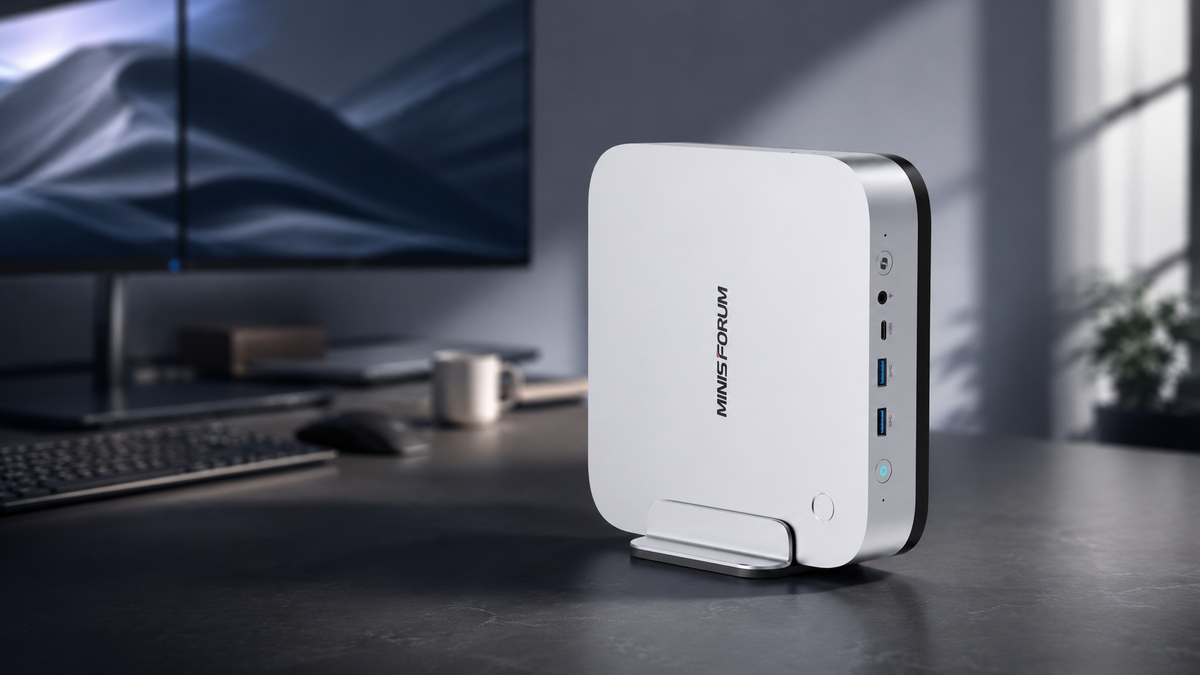
When buying a Mini PC, the processor is often the first specification people notice. In practice, however, RAM has a major effect on everyday multitasking, local AI, content creation and how long the system remains useful.
16GB is suitable for basic office work and home use. 32GB offers a better balance of price and long-term usability for most buyers. 64GB is better suited to local AI, video production and demanding development work, while 128GB is mainly intended for large local models, memory-intensive virtual machines and professional workflows.
Buyers on a limited budget do not need to choose the highest capacity available, but they should not compare Mini PCs by processor alone. Start with the software and workloads you plan to run, then choose enough RAM to cover them with some room for future needs.
Who Should Choose 16GB, 32GB, 64GB or 128GB RAM?
16GB is suitable for basic tasks, 32GB is the best starting point for most long-term users, 64GB is designed for local AI and demanding creative work, and 128GB is mainly useful for large models and professional workloads.
| RAM Capacity | Best For | Main Limitation | Recommended Users |
|---|---|---|---|
| 16GB | Web browsing, Office, media and basic study | Can reach its limit when many applications are open | Home users and light office users |
| 32GB | Programming, multitasking, light creation and entry-level local AI | Limited space for large models and demanding professional projects | Most technical users and long-term buyers |
| 64GB | Local AI, RAG, video editing and large projects | Larger models and multi-service deployments may require more memory | AI developers, creators and demanding users |
| 128GB | Large local models, multiple services and professional creation | Higher cost, with limited benefit for ordinary users | Professional developers, laboratories and studios |
For buyers who want to keep a high-performance Mini PC for three to five years, 32GB is usually the safest starting point.
64GB provides a more noticeable benefit when running local AI, editing large video projects or keeping many development tools open at the same time. 128GB is worth considering only when you already know that your work involves large models, several memory-intensive virtual machines or complex professional software.
Why Is RAM Especially Important in a Mini PC?
RAM in a Mini PC affects not only how many applications can run at once, but also how much memory is available to the integrated graphics and local AI workloads.
Most Mini PCs do not include a high-performance dedicated graphics card. Instead, they use graphics built into the processor. The operating system, applications and graphics workloads therefore share the same system memory, so limited capacity can affect multitasking, gaming, image processing and local AI.
For example, after a browser, communication software, a code editor and a database are already running, the remaining memory must still be large enough to load a local AI model. A 16GB system can reach its limit quickly, while 32GB or 64GB leaves more space for the model and other software.
A faster processor can improve processing speed, but it cannot solve the problem of a model or project that does not fit into memory. This is why CPU core counts should not be the only consideration when choosing a Mini PC.
Is 16GB RAM Still Enough?
16GB is still enough for everyday office work, web browsing, media playback and basic programming, but it is not an ideal long-term configuration for demanding multitasking or local AI.
If your main applications are Word, Excel, a browser, email and streaming services, 16GB can still provide a normal experience. Buyers with a strict budget and light workloads do not need to pay for 64GB simply because the number is higher.
The limitation becomes more noticeable when you start using Docker, virtual machines, video editing tools or local AI. Modern browsers, video calls, cloud synchronisation and background applications also continue to use memory throughout the day.
16GB is most suitable for users who:
- Mainly browse the web and work with documents.
- Do not run large development environments or local models.
- Have a limited budget and choose a system that supports upgrades.
- Plan to add more RAM or storage later.
If the memory is fixed and cannot be replaced, a 16GB configuration has less long-term value.
The MINISFORUM UM880 Plus, for example, uses two memory slots and supports up to 96GB. Buyers can start with a lower-cost configuration and upgrade later when their workloads become more demanding.
Is 32GB the Best RAM Capacity for Most Mini PCs?
For most Mini PC buyers, 32GB offers the best balance of price, multitasking performance and long-term usability.
32GB can handle many browser tabs, Office applications, programming tools, light video editing and everyday multitasking at the same time. It can also run smaller local AI models. For buyers who are not yet sure whether they will use AI, creative software or more complex tools in the future, it offers considerably more headroom than 16GB.
32GB is particularly suitable for:
- Software development and everyday programming.
- Running several office and communication applications together.
- Light photo, video and audio editing.
- Entry-level local AI tools.
- Users who want the system to remain useful for several years.
The current MINISFORUM EU range offers two different 32GB options:
- X1-Lite 255 with 32GB RAM and 1TB storage includes two 512GB SSDs and two M.2 storage slots. It is a good fit for buyers who want a ready-to-use system for everyday work and light creative tasks.
- UM880 Plus with 32GB RAM and 1TB storage offers upgradeable memory, two M.2 slots and OCuLink. It is better suited to buyers who want more flexibility for future upgrades.
If large local AI models are not part of your main workload, 32GB will usually be enough.
When Should You Choose 64GB RAM?
64GB is a practical step up for users who run local AI, complex development environments, video production tools or many applications at the same time.
A local AI model uses memory alongside the operating system, database, browser and development tools. With 64GB, users can load larger models, work with longer contexts and reduce memory pressure while several applications remain open.
64GB is especially useful for:
- Running local AI assistants and coding models.
- Building RAG-based document knowledge systems.
- Using Docker, databases and development tools together.
- Editing larger 4K video projects.
- Working with high-resolution images and complex creative files.
- Running several virtual machines or remote development environments.
The AI X1 Pro-370 with 64GB RAM and a 2TB SSD is ready for demanding workloads without an immediate memory or storage upgrade. It includes two DDR5 memory slots, supports up to 128GB RAM and provides three M.2 SSD slots, with support for up to 4TB in each slot.
For users who want to start with 64GB while keeping the option to upgrade later, the AI X1 Pro-370 is the more flexible choice.
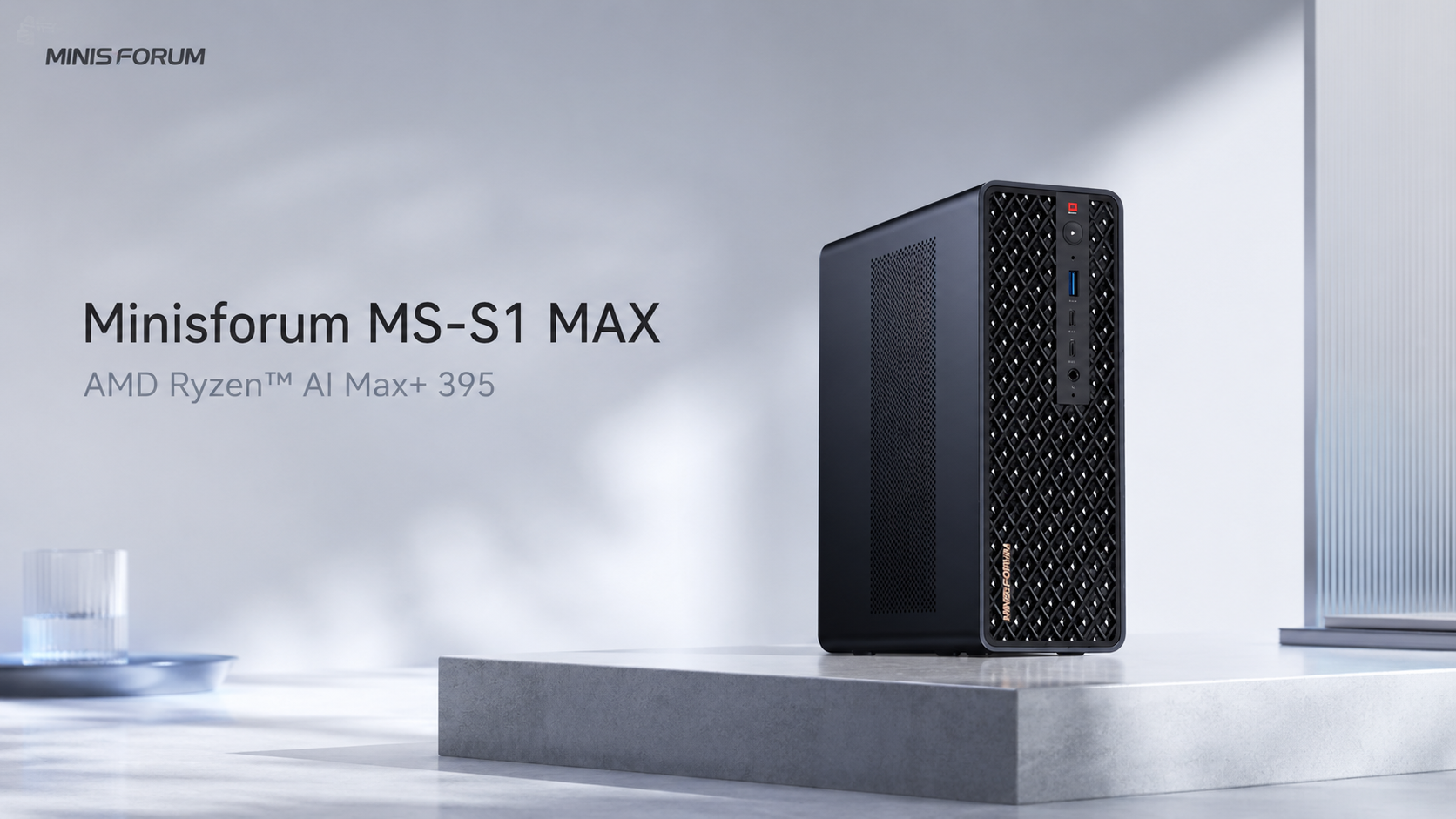
The MS-S1 MAX is available with 64GB RAM and either 1TB or 2TB storage. It is designed for larger local AI workloads, demanding creative work and compact workstation deployments.
Do You Really Need 128GB RAM?
128GB is mainly intended for users who already know that they need to run large local models, several AI services, memory-intensive virtual machines or complex professional projects.
Ordinary office work and gaming rarely make full use of 128GB. Even with many browser windows and common applications open, 32GB or 64GB is usually sufficient.
128GB provides the greatest value for:
- Running large quantised language models.
- Deploying several local AI services at the same time.
- Working with long contexts and large knowledge bases.
- Running several high-memory virtual machines.
- Handling complex video, 3D and data-processing projects.
- Building an AI workstation for a laboratory or small team.
The MS-S1 MAX is available with 128GB RAM and a 2TB SSD. Its large unified memory pool can be shared by the processor and Radeon 8060S graphics. MINISFORUM positions this configuration as a compact AI workstation capable of running language models with more than 128 billion parameters locally.
The main benefit is not that ordinary applications automatically become faster. The additional capacity allows models and projects that would not fit into a smaller memory pool to run locally.
Before choosing 128GB, check whether your models and software genuinely need that capacity. For many users, spending the same budget on a faster processor, a larger SSD or more useful connectivity may improve the everyday experience more noticeably.
Should You Upgrade RAM, CPU or Storage First?
When the budget is limited, prioritise the component that determines whether your main workload can run at all, then consider processing speed and storage capacity.
Local AI Users: Prioritise RAM Capacity
Local AI first needs enough memory to load the model. A faster CPU cannot solve the problem if the model does not fit into memory.
A practical priority order is:
- RAM capacity.
- CPU and graphics performance.
- SSD capacity.
- Networking and expansion ports.
Storage can often be expanded later, while fixed memory cannot be upgraded.
Office Users: Choose a Suitable CPU and 32GB RAM
Office users do not need to buy 64GB by default. A capable processor, 32GB RAM and a reliable 1TB SSD usually provide a better-balanced system than a weaker processor paired with a very large amount of memory.
Content Creators: RAM and Storage Are Equally Important
Video, image and audio projects use both working memory and storage space. For many creators, 64GB RAM with a 2TB SSD is more practical than 128GB RAM paired with a smaller drive.
Gamers: More RAM Alone Will Not Raise Frame Rates
Upgrading from 32GB to 64GB will not automatically produce a major increase in gaming performance. Frame rates depend more heavily on the processor, integrated graphics or an external graphics card.
Both the UM880 Plus and X1-Lite 255 include OCuLink, allowing compatible external graphics hardware to be added later.
For a closer look at processor choices, read our Ryzen AI Max+ 395 vs Intel High-Performance Mini PC comparison.
What Else Should You Check Besides RAM Capacity?
Besides total memory capacity, Mini PC buyers should check whether the RAM can be upgraded, how storage can be expanded, whether the integrated graphics share system memory and whether the processor suits the main workload.
Can the RAM Be Upgraded?
Replaceable memory allows buyers to start with a lower capacity and upgrade later. Fixed memory can support a more compact design and higher transfer speeds, but the correct capacity must be chosen at the time of purchase.
The UM880 Plus and AI X1 Pro-370 use upgradeable memory slots. The MS-S1 MAX uses fixed LPDDR5x unified memory, so buyers must choose between 64GB and 128GB before purchase.
Can the Storage Be Expanded?
RAM determines how much data the system can actively process at once, while SSD capacity determines how many models, projects and files can be stored.
Local AI models and video libraries can use a large amount of space. A Mini PC with two or three M.2 slots is generally better suited to long-term expansion than a system with only one storage position.
Does the Integrated Graphics Use System Memory?
Integrated graphics use part of the system memory. Gaming, video editing and local AI therefore require enough capacity for the operating system, applications and graphics workload at the same time.
This is one reason why 32GB and 64GB configurations offer practical value in high-performance Mini PCs.
Is the CPU Suitable for Your Main Workload?
RAM solves capacity limitations, while the CPU affects processing speed in many workloads. Buyers should still decide whether the Mini PC is mainly for office work, development, creative production, gaming or AI rather than choosing the largest memory figure in isolation.
Choose a MINISFORUM Mini PC by Budget and Workload
The current MINISFORUM EU range covers memory requirements from everyday office use to large local AI workloads.
| Recommended Tier | Recommended Product | Current Configuration | Best For |
|---|---|---|---|
| Entry-Level and Upgradeable | UM880 Plus | 16GB + 512GB or 32GB + 1TB | Budget-conscious users who want future upgrade options |
| Balanced 32GB Choice | X1-Lite 255 | 32GB + two 512GB SSDs | Everyday development, office work, entertainment and light creation |
| Advanced 64GB Choice | AI X1 Pro-370 | 64GB + 2TB | Local AI, content creation and demanding multitasking |
| Professional 64GB or 128GB Choice | MS-S1 MAX | 64GB + 1TB, 64GB + 2TB or 128GB + 2TB | Large models, professional workstations and laboratories |
Entry-Level and Upgradeable: UM880 Plus
The UM880 Plus is suitable for buyers who want to start with 16GB or 32GB and preserve the option to upgrade later.
It combines an AMD Ryzen 7 8845HS processor with Radeon 780M graphics and supports two M.2 drives, USB4 and OCuLink. It is suitable for office work, programming, light creative work and mainstream gaming.
View UM880 Plus configurations and current offers
Balanced 32GB Choice: X1-Lite 255
The X1-Lite 255 with 32GB RAM and 1TB storage is designed for users who want a ready-to-use system for development, home entertainment and light creative work.
Its 1TB storage is provided by two 512GB NVMe SSDs, making it easier to separate the operating system from project files. The device also includes OCuLink, USB4 and two M.2 storage positions.
View the X1-Lite 255 with 32GB RAM and 1TB storage
Advanced 64GB Choice: AI X1 Pro-370
The AI X1 Pro-370 is better suited to local AI, content creation and demanding multitasking.
Its pre-installed 64GB RAM and 2TB SSD are ready for demanding workloads, while the memory can later be upgraded to 128GB. Three M.2 slots also provide substantial room for storage expansion.
View the AI X1 Pro-370 with 64GB RAM and 2TB storage
Professional 64GB or 128GB Choice: MS-S1 MAX
The MS-S1 MAX is designed for users who need large local models, strong graphics performance, high-speed networking and workstation expansion.
It offers up to 128GB unified memory, dual 10GbE LAN, USB4 V2, PCIe expansion and two M.2 storage positions. It can be deployed on a desk or in a 2U rack.
Compare MS-S1 MAX 64GB and 128GB configurations
Final Recommendation: How Much RAM Should a Mini PC Have?
For most Mini PC buyers, 32GB is the best starting point. Local AI and demanding creative users should consider 64GB, while 128GB is mainly justified by large models and professional workflows.
- Strict budget and light workloads: Choose 16GB and prioritise an upgradeable system.
- Office work, development and long-term use: Choose 32GB.
- Local AI, video creation and complex multitasking: Choose 64GB.
- Large models, several AI services and professional projects: Choose 128GB.
Do not increase the budget simply because a larger number looks better, but do not save a small amount on a configuration that may become restrictive too quickly. Identify the main workload first, then choose enough RAM for current requirements with reasonable room for growth.
MINISFORUM EU offers free delivery to most European countries, a three-year warranty on standard products and repair support through its European warehouse. Products that meet the return policy requirements may be returned within 30 days of delivery. Please review the website's shipping, warranty and return policies for the full conditions.
Frequently Asked Questions
Is 16GB RAM Still Enough for a Mini PC?
16GB is still enough for ordinary office work, web browsing and media playback. Buyers planning to keep the system for several years, run many applications or explore local AI will be better served by 32GB.
Can a Mini PC with 32GB RAM Run Local AI?
32GB can run smaller local models and basic AI tools, but the available memory becomes more limited when the model, database and development software are running together.
Is 64GB RAM the Best Choice for Local AI?
For many individual developers and advanced users, 64GB offers the best balance of price, model capacity and multitasking performance.
Will 128GB RAM Make a Mini PC Faster?
128GB provides a clear benefit only when the workload genuinely uses more than 64GB. Ordinary office software, gaming and everyday applications do not automatically become faster simply because more memory remains unused.
Should You Upgrade RAM or SSD Storage First?
Local AI and demanding multitasking users should prioritise enough RAM first. Storage can often be expanded later, while fixed memory cannot be upgraded.
Is RAM Speed or RAM Capacity More Important?
Choose enough capacity first, then compare memory speed. Insufficient capacity can prevent software, projects or models from running properly, while differences in memory speed are usually less restrictive.
Sources
- MINISFORUM UM880 Plus Official Product Page
- MINISFORUM X1-Lite 255 Official Product Page
- MINISFORUM AI X1 Pro-370 Official Product Page
- MINISFORUM MS-S1 MAX Official Product Page
- MINISFORUM EU Return and Refund Policy
Note: Product specifications in this article are based on information published by MINISFORUM and the relevant hardware manufacturers. Available configurations, stock, pricing and promotional offers may change. Please refer to the corresponding product page for the latest information before purchasing.


Leave a comment
This site is protected by hCaptcha and the hCaptcha Privacy Policy and Terms of Service apply.